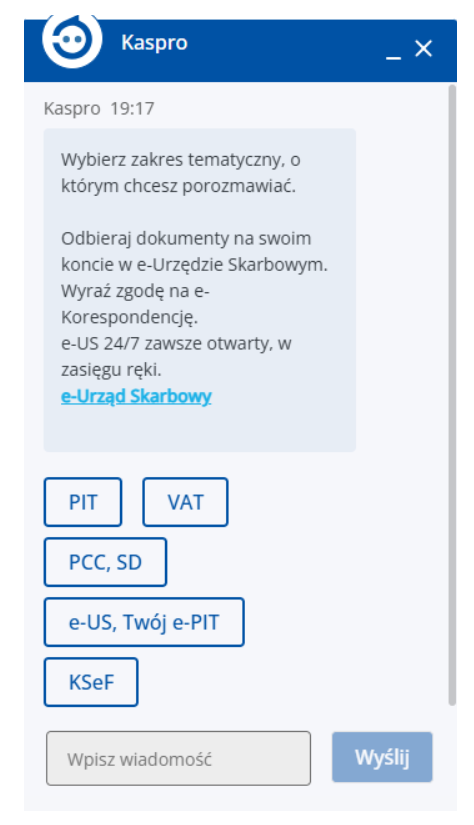
For many people, a phone call can be stressful. An alternative is a chatbot – a programme with which we can ‘chat’ in writing, without using our voice. This solution is similar to sending text messages, but takes place on the website of a bank, shop or government department.
Where can you find a chatbot?
When you visit an organisation’s website, you don’t need to look for the ‘Contact’ tab. The virtual assistant is usually ‘hiding’ in one fixed spot.
- The bottom right-hand corner of the screen: this is where, in 99 per cent of cases, you’ll find a small, colourful circle.
- Icon: This button is rarely labelled with a word. It’s usually a speech bubble icon (like in comics), a telephone receiver symbol, a robot’s head or a smiley face.
How to use it: Simply click once with the left mouse button (or tap with your finger on a mobile phone) on this icon. A small chat window will then pop up.
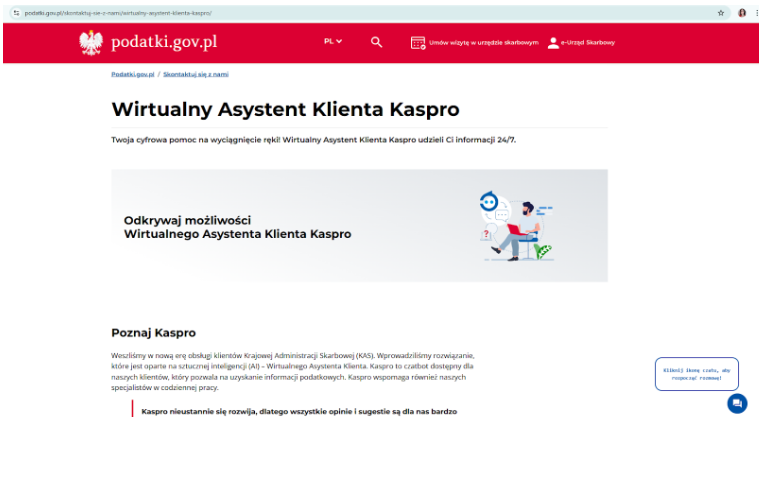
KASPRO – the Ministry of Finance’s virtual assistant, available on the podatki.gov.pl website
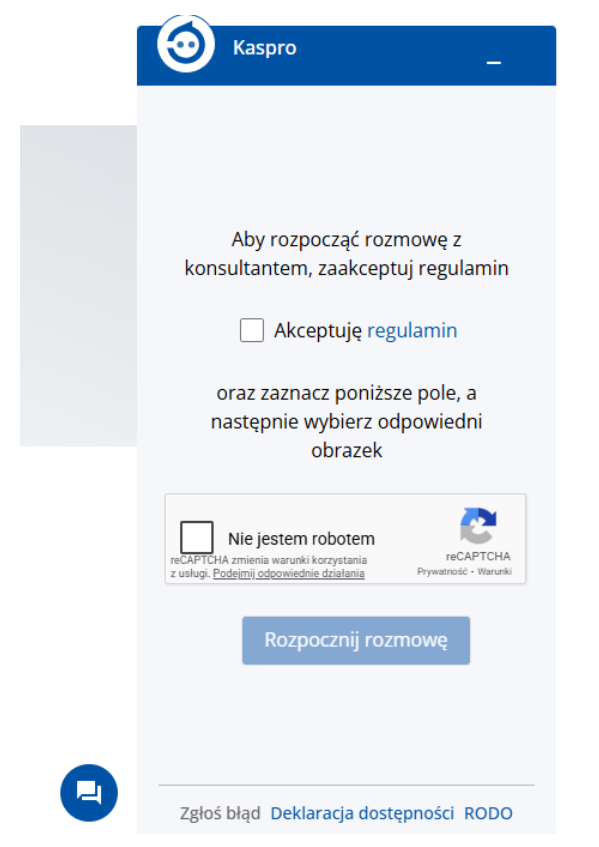
The KASPRO chatbot dialogue box – initial view; requires acceptance of the terms and conditions and ticking the CAPTCHA box